Diving Deep: My Journey into the World of Submerged PCs
So, What Exactly is a Submerged PC?
You know, for a long time, the idea of dunking an expensive computer into a liquid felt like something straight out of a sci-fi movie or a mad scientist's lab. But here we are, talking about submerged PCs, and let me tell you, it's a real thing, and it's pretty darn cool. Essentially, a submerged PC involves immersing most, if not all, of your computer's heat-generating components – we're talking motherboards, CPUs, GPUs, RAM – into a non-conductive, dielectric fluid. Think of it as a super-efficient, silent, and sometimes visually stunning way to keep your rig chill. It's not just for show, though. There are some serious practical benefits that I've found quite compelling, and honestly, a bit mind-blowing when you first wrap your head around it.
My initial thought when I first heard about this concept was, 'Are people crazy?' But after diving into the research and seeing some incredible builds, I started to understand the appeal. It's a niche, for sure, but for those pushing the boundaries of performance or seeking ultimate silence, it's an option that deserves a closer look.
The "Why": Unpacking the Benefits of Submersion Cooling
Why would anyone go through the trouble of submersing their precious electronics? Well, I've got a few big reasons that immediately spring to mind. It's not just about aesthetics, though a glowing PC submerged in liquid looks undeniably awesome.
- Superior Heat Transfer: This is arguably the biggest one. Air is a terrible conductor of heat. Liquids, especially engineered dielectric fluids, are significantly better. We're talking orders of magnitude better. This means your components can run much cooler than with traditional air or even closed-loop liquid cooling systems. When I first saw temperature logs from these setups, I couldn't believe the difference.
- Whisper-Quiet Operation: Imagine a high-performance PC with virtually no fan noise. Because the components are immersed, you don't need all those noisy fans to push air around. The fluid does the heavy lifting, dissipating heat much more silently. If you're like me and crave a peaceful computing environment, this is a huge plus. My ears are thanking me just thinking about it.
- Dust and Corrosion Protection: Once your components are sealed away in a non-conductive fluid, they're pretty much immune to dust build-up. No more regular clean-outs with compressed air! Plus, many of these dielectric fluids are designed to be inert, protecting your hardware from environmental corrosion and humidity. It's like putting your PC in a time capsule.
- Unleashed Overclocking Potential: With such efficient cooling, your components can be pushed harder, meaning higher clock speeds and better performance. Enthusiasts looking to squeeze every last drop of power out of their hardware find this particularly appealing. It's about breaking those performance barriers.
The "How": My Take on Different Submersion Approaches
Alright, so you're sold on the idea. Now, how do we actually do this? There are a couple of main routes people take, each with its own set of pros and cons that I've certainly weighed myself.
Mineral Oil: The OG Method
Back in the day, when submerged PCs were first really catching on in the DIY scene, mineral oil was the go-to. It's non-conductive, relatively inexpensive, and pretty easy to get your hands on. I've seen some absolutely wild builds using fish tanks filled with mineral oil. It works, and it's a great entry point for someone who's curious but doesn't want to break the bank. However, mineral oil has its downsides. It's viscous, which means it can be a bit messy, and over time, it can potentially degrade or discolor. Plus, once your components have been in mineral oil, they're effectively 'oiled for life' – getting them completely clean again is a Herculean task, and you might find that it affects future resale value or warranty.
Engineered Dielectric Fluids: The Next Generation
This is where things get really sophisticated. Companies like 3M produce specialized dielectric fluids, often fluorocarbons, that are specifically designed for electronics cooling. These fluids are far superior to mineral oil in many ways: they have much better thermal properties, are less viscous, evaporate cleanly (no residue!), and generally have a longer lifespan. The catch? They are significantly more expensive. We're talking serious investment here. But if you're building a high-end system for maximum performance and longevity, or considering a commercial application like a data center, these fluids are undeniably the way to go. It’s like comparing tap water to a specially formulated sports drink for your PC.
Building a Submerged System: What I'd Consider
If I were to embark on building one of these myself, and trust me, the thought has crossed my mind more than once, I'd pay close attention to several key elements. This isn't just about throwing parts into a bucket of fluid; it requires careful planning.
- Choosing the Right Fluid: As discussed, this is critical. For my own hypothetical build, I'd lean towards an engineered dielectric fluid if budget allowed, simply for the peace of mind regarding component compatibility and long-term performance.
- The Tank or Enclosure: This needs to be robust, leak-proof, and aesthetically pleasing. Acrylic is a popular choice for its clarity, but glass or custom-fabricated metal tanks can also work. You'd want enough volume to adequately immerse everything and allow for good fluid circulation.
- Pumping and Circulation: You can't just let the fluid sit there. You need a pump system to move the heated fluid away from the components and towards a heat exchanger. This usually involves a low-flow, high-reliability pump that won't stir up too much turbulence or create bubbles.
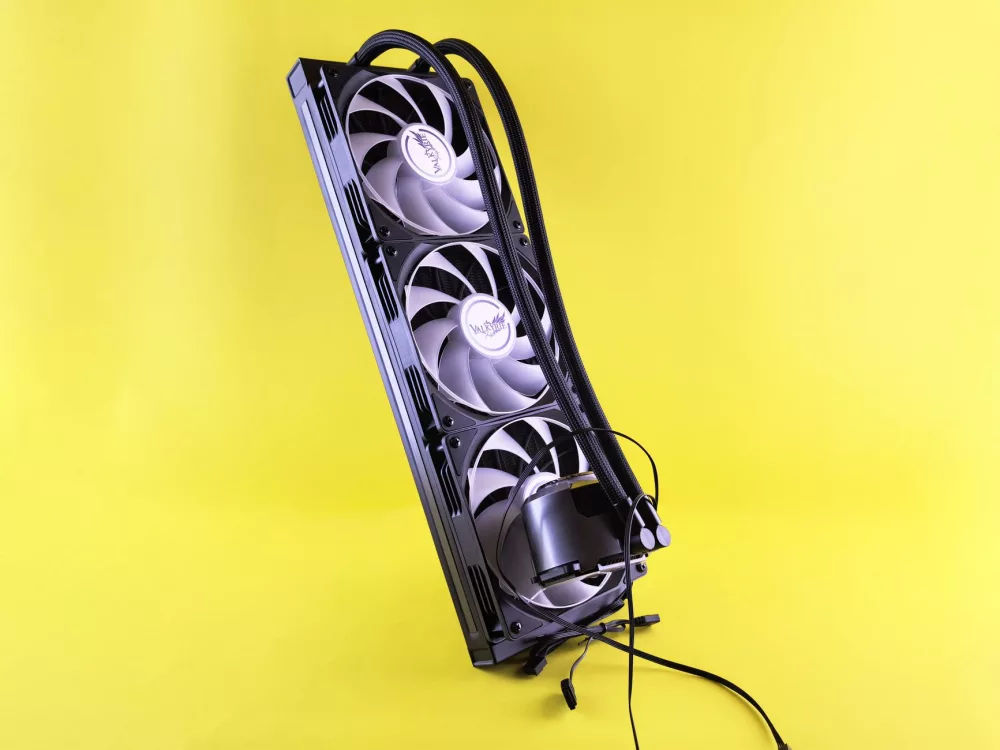
- Cooling the Fluid: The fluid itself gets hot, so it needs to be cooled down. This typically involves an external radiator, similar to what you'd find in a traditional liquid-cooled PC, often paired with fans. For extreme setups, some folks even use chillers, like those found in aquariums, to maintain super-low temperatures.
- Component Compatibility: Most standard PC components work fine, but there are exceptions. Hard drives, particularly mechanical ones, usually aren't recommended for submersion because the fluid can interfere with their internal mechanisms or cause pressure issues. SSDs are generally fine. Power supplies often need to be modified or specifically chosen if you want to immerse them; otherwise, they're kept external. I'd definitely double-check every single part before taking the plunge.
- Maintenance and Monitoring: Even though it's low-dust, these systems aren't set-it-and-forget-it. You'll want to monitor fluid levels, clarity, and ensure your external cooling system is working efficiently.
My Thoughts: Is a Submerged PC for Everyone?
After all this, I've got to ask myself: is this really for the average PC user? Probably not. It's an investment of time, money, and a significant learning curve. You need to be comfortable with a bit of DIY, and you have to accept that you're stepping outside the realm of conventional PC building. It's not like swapping out a GPU or adding another stick of RAM.
However, for the extreme enthusiast, the professional workstation user demanding silence and stability, or data centers looking for incredibly efficient cooling solutions, submerged PCs offer some compelling advantages. The initial cost can be high, no doubt about it, especially for those high-performance dielectric fluids and custom enclosures. But the long-term benefits in terms of performance, noise reduction, and component longevity can make a strong case for certain applications. For me, it's an absolutely fascinating area of PC technology, showcasing just how far we can push the boundaries when we think outside the box – or, in this case, inside a tank of liquid.
About Editorial Team
Senior columnist and culture critic specializing in architectural designs, emerging high-growth systems, and contemporary philosophies.
Contact Desk
Have an editorial inquiry or custom partnership idea? Reach our team directly.